
Features
Built-in Interfaces
Velocity Interface
The Velocity interface provides movement information to your sounds:
- LinearSpeed: How fast the sound is moving (in units/second)
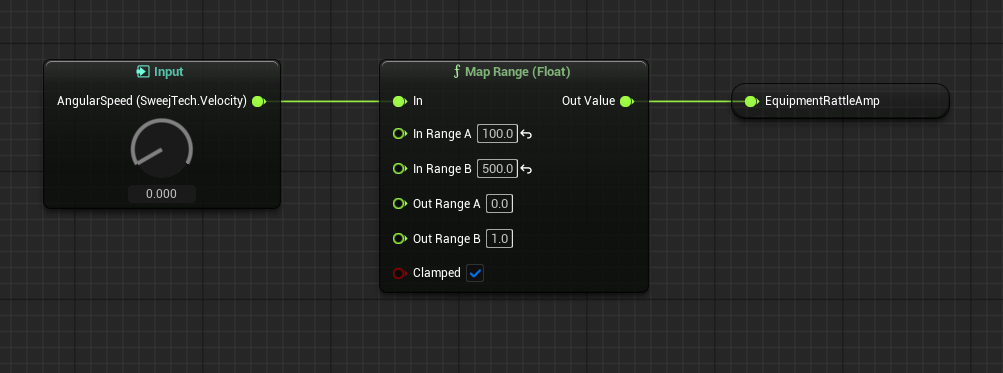
- AngularSpeed: How fast the sound is rotating (in radians/second)
This is perfect for creating:
- Simple engine sounds
- Wind effects that intensify with movement
- Footsteps that adjust to walking/running pace
- Equipment rattles that respond to movement
Creative Applications
Movement-Reactive Sounds
Vehicle Engine Example:
- Add the Velocity interface to your engine MetaSound
- Connect LinearSpeed to:
- Engine pitch (higher pitch at higher speeds)
- Filter cutoff (more high frequencies at higher speeds)
- Layer crossfades (transition between idle and high RPM samples)
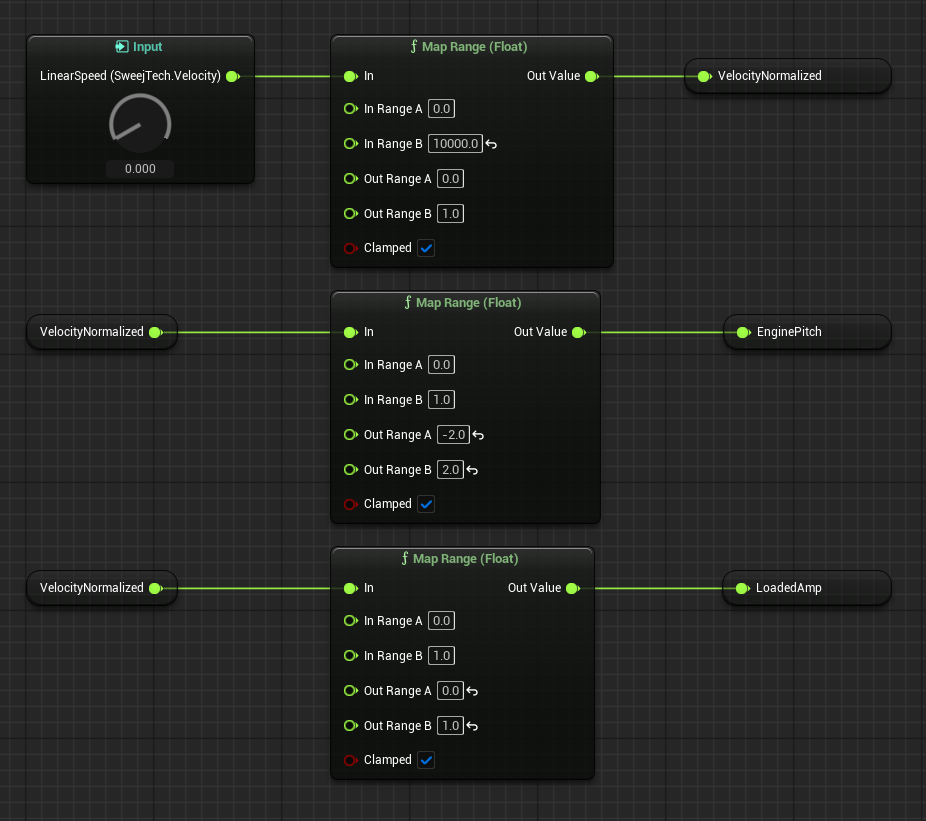
Character Movement Example:
- Add the Velocity interface to footstep and cloth sounds
- Connect LinearSpeed to:
- A timer triggering footsteps
- Wave selection - walk/run/sprint
- Cloth rustling intensity
- Connect AngularSpeed to equipment jostling sounds
Interactive Sound Design
Every sound using an interface gets its own calculated values based on its specific situation. This means:
- Multiple vehicles each get their own unique engine sounds
- Different characters' footsteps respond to their individual movements
- Sound effects react appropriately based on their location and movement