
Debug Display Options
Selecting a sound will highlight it in the viewport, and you can select multiple sounds with Ctrl + LMB.
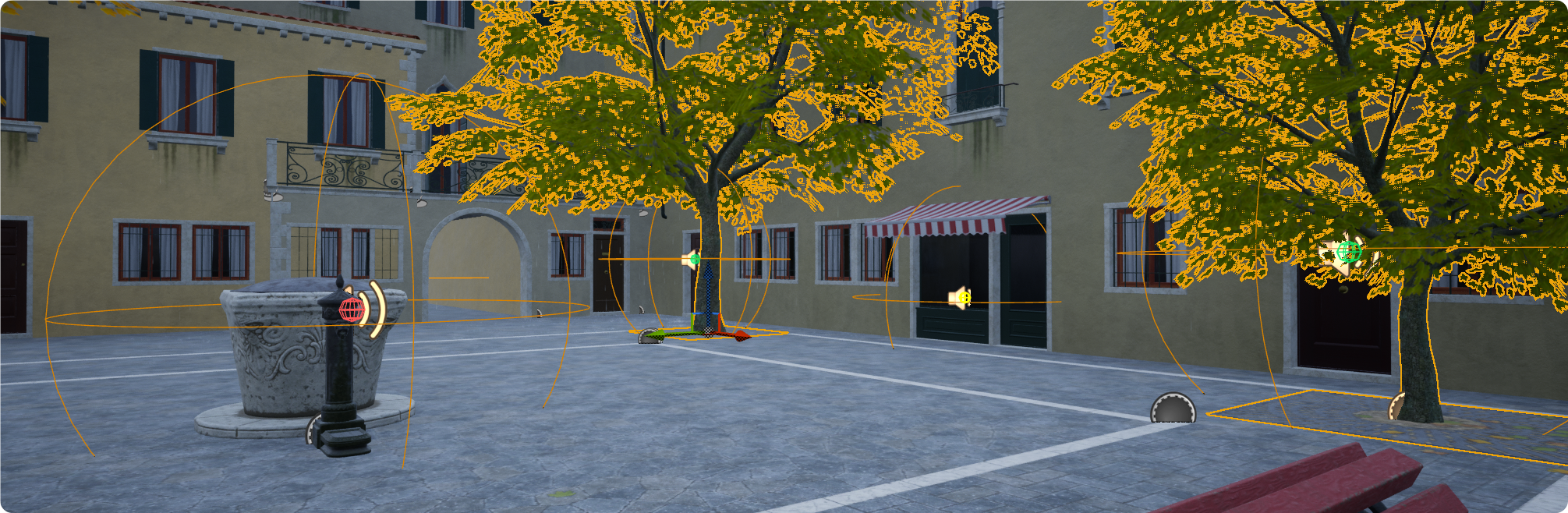
Edit → Editor Preferences → SweejTech → Audio Inspector settings allows a number of colouring options within this debug view.
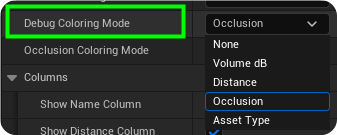
None: Selected items remain uncoloured
Volume dB: Debug spheres are coloured green for < -12dB, yellow -12dB to -6dB, red for anything above -6dB.
Distance: Debug spheres are coloured according to distance from the listener.
Occlusion: Debug spheres are shown as red for occluded and green for not occluded.
Asset Type: Debug spheres are coloured as Green for Metasounds, Blue for Sound Cues, and Purple for Sound Waves.